 Keepin
Designed for iPhone · In beta
Keep the memory.
Clear the everyday.
Some photos can leave your everyday library without leaving your life. Organize at your own pace, then archive the originals somewhere you choose.
Keepin is in testing. Public downloads are not available yet.
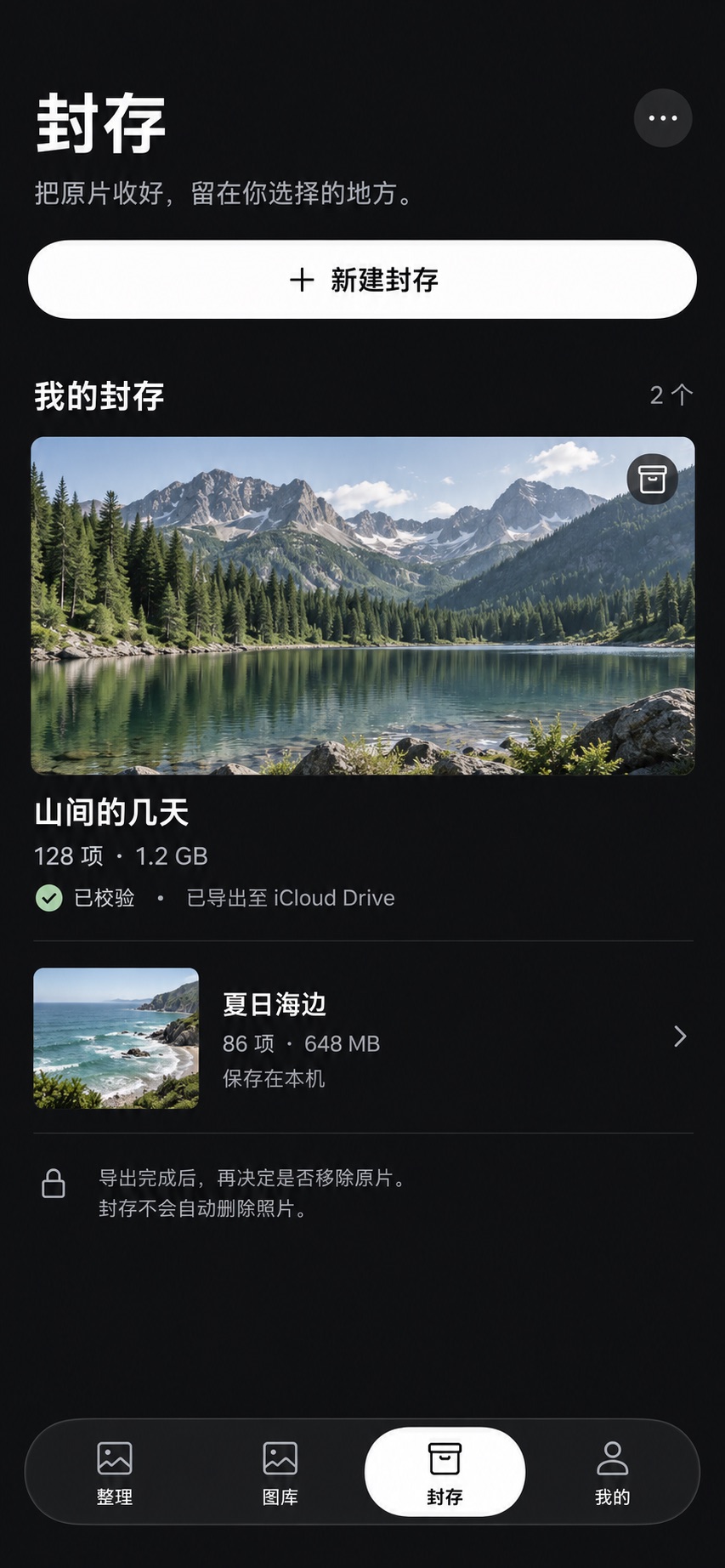
Put away.
Not forgotten.
An old trip. A chapter of life. Something just for you. Not every photo needs to be in your everyday library, and not every photo needs to be deleted.
Keepin packages selected original media into an independent encrypted file. Keep it on your device, or export it to iCloud Drive or an available provider in Files. You keep the file. You choose the place.
A clear path,
from library to archive.
Creating, exporting, and deleting originals are separate decisions.
- 01
Choose
Select the photos and videos to put away. Browsing and selecting never delete the originals.
- 02
Keep
Name the archive, choose its cover, and set a password. Packaging and encryption happen on-device.
- 03
Export
Choose a destination in the system Files picker. Cloud providers must be configured and available.
- 04
Check
Verify the file and that you can restore it. Decide separately whether to delete the originals.
Archives use the .keepin format and require Keepin and the correct password to restore; they are not ordinary ZIP files. Photos and videos are often already compressed, so packaging may not significantly reduce their size.
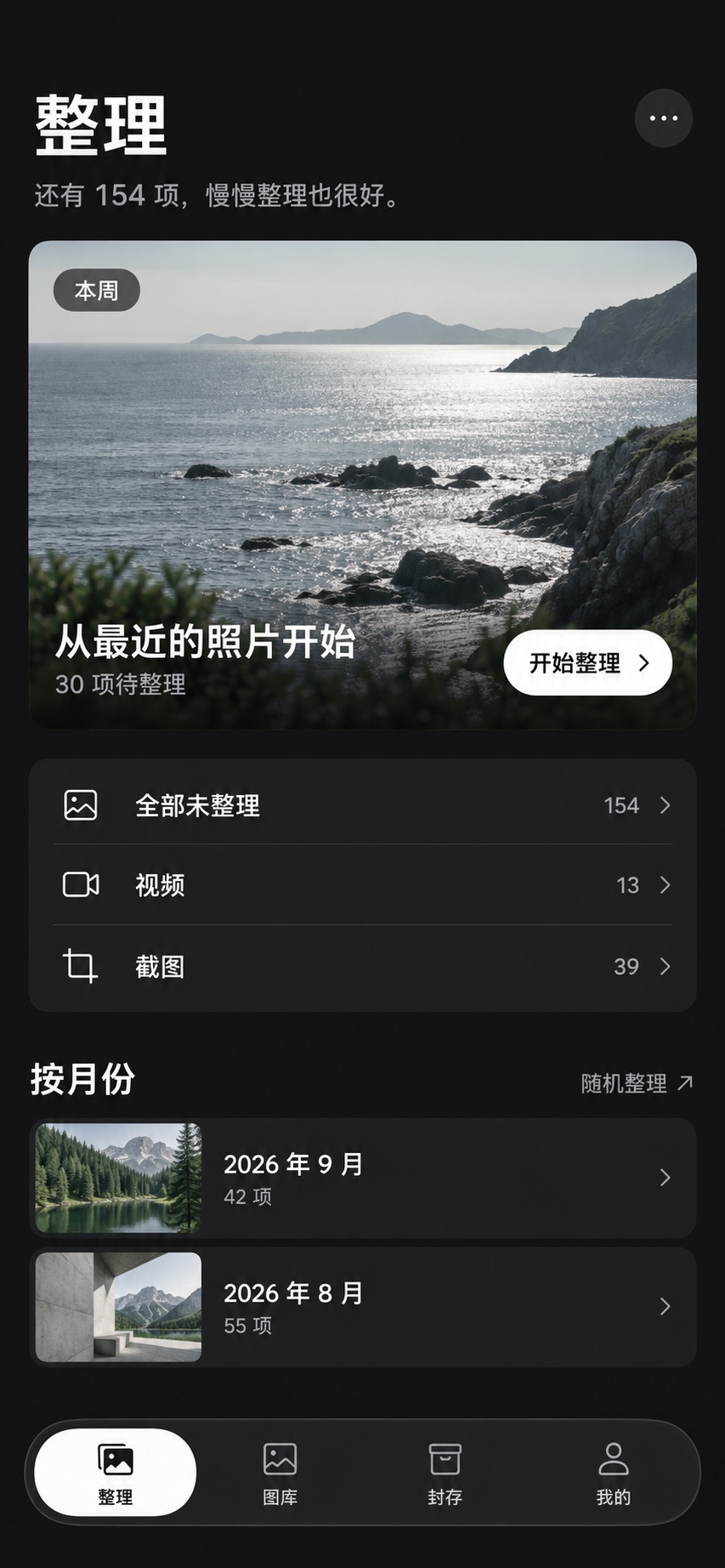
Organize, then archive
More room
for the photo.
Start with something recent. Make one decision at a time. Keeping, favoriting, adding to an album, and archiving each mean something different.
- Go at your own paceStart with a month, a photo range, or where you left off. There is no need to finish the whole library at once.
- Review before deletingThe deletion queue gives you a chance to look again. Actual deletion needs an explicit confirmation.
- A cover, not a revealPick a preset or deliberately choose your own photo. Your first archived photo does not have to become its public face.
A cover without a reveal.
Landscape, private, everyday, family. Original preset artwork helps you recognize each archive without putting its contents on display.



The little things
that matter.
All help topicsDoes Keepin upload my photos?
Photo organization and archiving run on your device. Keepin does not provide its own photo cloud storage. When you export to iCloud or another cloud drive, that service processes and synchronizes the file under its own policies.
Can I delete originals after exporting?
First confirm that the archive is accessible and verify or restore it with the correct password. Handing a file to a cloud provider does not mean cloud synchronization has finished. Keep another backup before deciding to delete the originals.
What if I forget my password?
Keepin does not hold archive passwords and has no password reset or decryption backdoor. Keep your password safely. Do not include the password itself or sensitive information in its hint.
Will an expired subscription lock my archives?
The current design does not require an active subscription to import, verify, or restore existing archives. Free creation limits and Pro benefits are shown in the app.